1
2
3
4
5
6
7
8
9
10
11
12
13
14
15
16
17
18
19
20
21
22
23
24
25
26
27
28
29
30
31
32
33
34
35
36
37
38
39
40
41
42
43
44
45
46
47
48
49
50
51
52
53
54
55
56
57
58
59
60
61
62
63
64
65
66
67
68
69
70
71
72
73
74
75
76
77
78
79
80
81
82
83
84
85
86
87
88
89
90
91
92
93
94
95
96
97
98
99
100
101
102
103
104
105
106
107
108
109
110
111
112
113
114
115
116
117
118
119
120
121
122
123
124
125
126
127
128
129
130
131
132
133
134
135
136
137
138
139
140
141
142
143
144
145
146
147
148
149
150
151
152
153
154
155
156
157
158
159
160
161
162
163
164
165
166
167
168
169
170
171
172
173
174
175
176
177
178
179
180
181
182
183
184
185
186
187
188
189
190
191
192
193
194
195
196
197
198
199
200
201
202
203
204
205
206
207
208
209
210
211
212
213
214
215
216
217
218
219
220
221
222
223
224
225
226
227
228
229
230
231
232
233
234
235
236
237
238
239
240
241
242
243
244
245
246
247
248
249
250
251
252
253
254
255
256
257
258
259
260
261
262
263
264
265
| import 'package:flutter/material.dart';
void main() {
runApp(const HorizonsApp());
}
class HorizonsApp extends StatelessWidget {
const HorizonsApp({Key? key}) : super(key: key);
// 本元件是此應用程式的root元件
@override
Widget build(BuildContext context) {
return MaterialApp(
debugShowCheckedModeBanner: false,
// This is the theme of your application.
theme: ThemeData.dark(),
//使用自訂的ScrollBehavior讓不同平台的使用者體驗相同滾動效果
scrollBehavior: const ConstantScrollBehavior(),
title: 'Horizons Weather',
home: Scaffold(
body: CustomScrollView(
slivers: <Widget>[
SliverAppBar(
pinned: true,
stretch: true,
onStretchTrigger: () async {
print('Load new data!');
// 等待 Server.requestNewData();
},
backgroundColor: Colors.teal[800],
expandedHeight: 200.0,
flexibleSpace: FlexibleSpaceBar(
stretchModes: const [
StretchMode.zoomBackground,
StretchMode.fadeTitle,
StretchMode.blurBackground,
],
title: const Text('Horizons'),
background: DecoratedBox(
position: DecorationPosition.foreground,
decoration: BoxDecoration(
gradient: LinearGradient(
begin: Alignment.bottomCenter,
end: Alignment.center,
colors: <Color>[Colors.teal[800]!, Colors.transparent],
),
),
child: Image.network(
headerImage,
fit: BoxFit.cover,
),
),
),
),
const WeeklyForecastList(),
],
),
),
);
}
}
class WeeklyForecastList extends StatelessWidget {
const WeeklyForecastList({Key? key}) : super(key: key);
@override
Widget build(BuildContext context) {
final DateTime currentDate = DateTime.now();
final TextTheme textTheme = Theme.of(context).textTheme;
return SliverList(
delegate: SliverChildBuilderDelegate(
(context, index) {
final DailyForecast dailyForecast =
Server.getDailyForecastByID(index);
return Card(
child: Row(
children: <Widget>[
SizedBox(
height: 200.0,
width: 200.0,
child: Stack(
fit: StackFit.expand,
children: <Widget>[
DecoratedBox(
position: DecorationPosition.foreground,
decoration: BoxDecoration(
gradient: RadialGradient(
colors: <Color>[
Colors.grey[800]!,
Colors.transparent
],
),
),
child: Image.network(
dailyForecast.imageId,
fit: BoxFit.cover,
),
),
Center(
child: Text(
dailyForecast.getDate(currentDate.day).toString(),
style: textTheme.displayMedium,
),
),
],
),
),
Expanded(
child: Padding(
padding: const EdgeInsets.all(20.0),
child: Column(
crossAxisAlignment: CrossAxisAlignment.start,
children: <Widget>[
Text(
dailyForecast.getWeekday(currentDate.weekday),
style: textTheme.headlineMedium,
),
const SizedBox(height: 10.0),
Text(dailyForecast.description),
],
),
),
),
Padding(
padding: const EdgeInsets.all(16.0),
child: Text(
'${dailyForecast.highTemp} | ${dailyForecast.lowTemp} F',
style: textTheme.titleMedium,
),
),
],
),
);
},
childCount: 7,
),
);
}
}
// --------------------------------------------
// 下方為輔助資料的傳遞區域
const String baseAssetURL =
'https://dartpad-workshops-io2021.web.app/getting_started_with_slivers/';
const String headerImage = '${baseAssetURL}assets/header.jpeg';
const Map<int, DailyForecast> _kDummyData = {
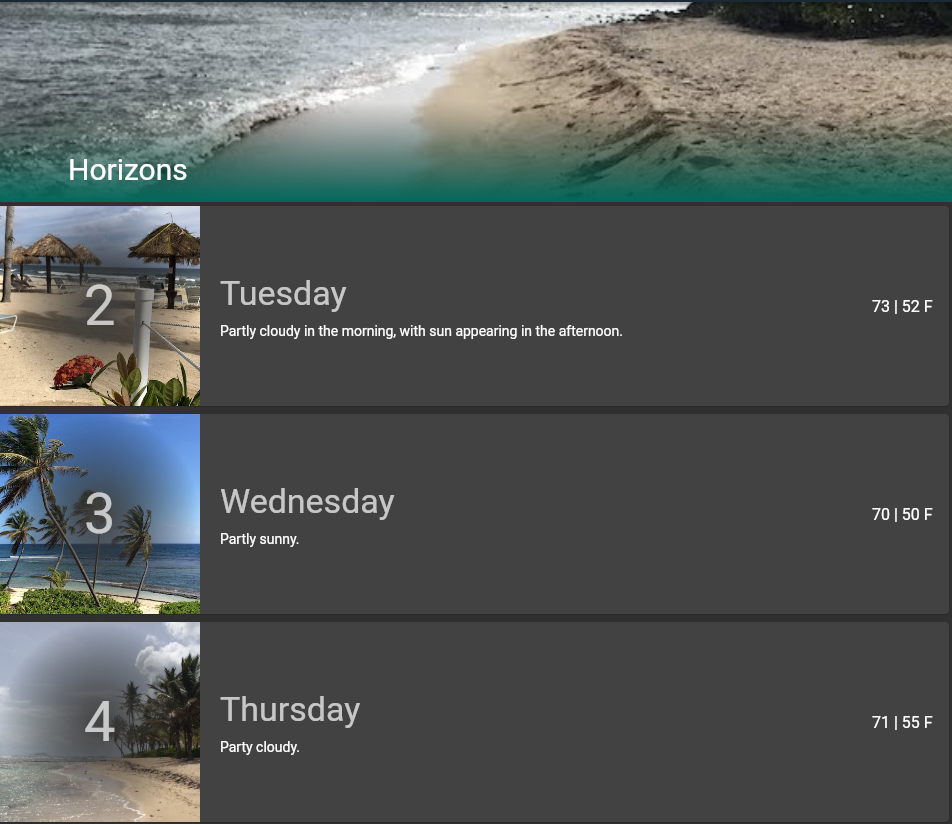
0: DailyForecast(
id: 0,
imageId: '${baseAssetURL}assets/day_0.jpeg',
highTemp: 73,
lowTemp: 52,
description:
'Partly cloudy in the morning, with sun appearing in the afternoon.',
),
1: DailyForecast(
id: 1,
imageId: '${baseAssetURL}assets/day_1.jpeg',
highTemp: 70,
lowTemp: 50,
description: 'Partly sunny.',
),
2: DailyForecast(
id: 2,
imageId: '${baseAssetURL}assets/day_2.jpeg',
highTemp: 71,
lowTemp: 55,
description: 'Party cloudy.',
),
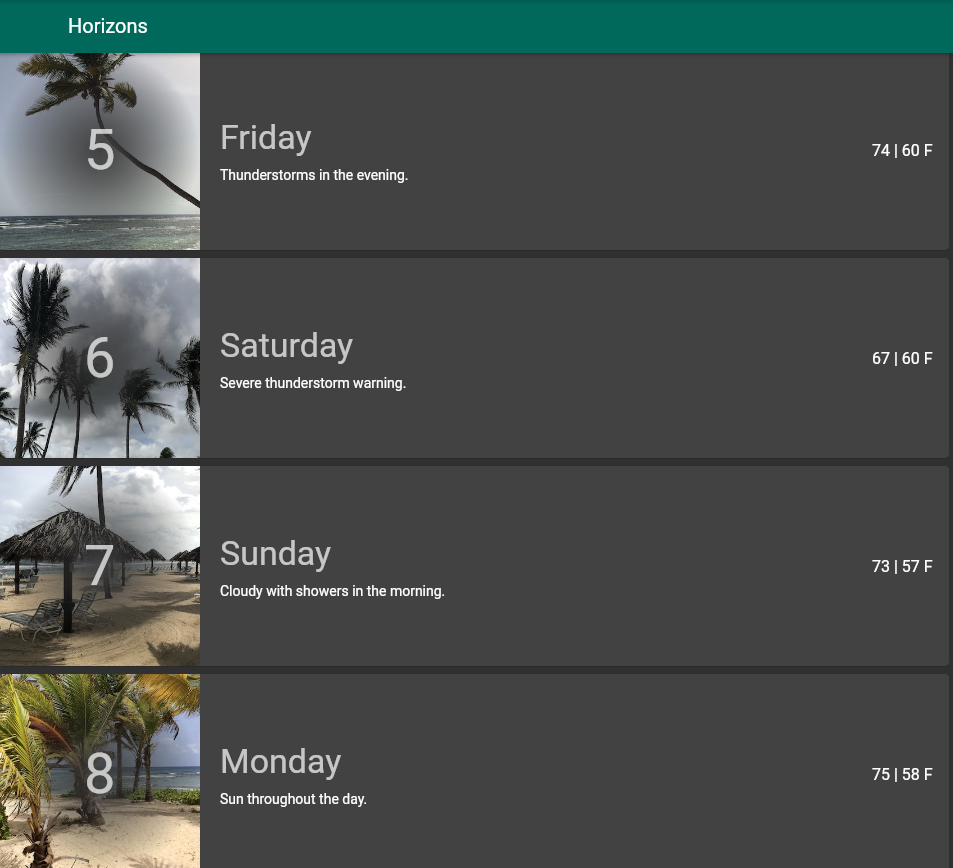
3: DailyForecast(
id: 3,
imageId: '${baseAssetURL}assets/day_3.jpeg',
highTemp: 74,
lowTemp: 60,
description: 'Thunderstorms in the evening.',
),
4: DailyForecast(
id: 4,
imageId: '${baseAssetURL}assets/day_4.jpeg',
highTemp: 67,
lowTemp: 60,
description: 'Severe thunderstorm warning.',
),
5: DailyForecast(
id: 5,
imageId: '${baseAssetURL}assets/day_5.jpeg',
highTemp: 73,
lowTemp: 57,
description: 'Cloudy with showers in the morning.',
),
6: DailyForecast(
id: 6,
imageId: '${baseAssetURL}assets/day_6.jpeg',
highTemp: 75,
lowTemp: 58,
description: 'Sun throughout the day.',
),
};
class Server {
static List<DailyForecast> getDailyForecastList() =>
_kDummyData.values.toList();
static DailyForecast getDailyForecastByID(int id) {
assert(id >= 0 && id <= 6);
return _kDummyData[id]!;
}
}
class DailyForecast {
const DailyForecast({
required this.id,
required this.imageId,
required this.highTemp,
required this.lowTemp,
required this.description,
});
final int id;
final String imageId;
final int highTemp;
final int lowTemp;
final String description;
static const List<String> _weekdays = <String>[
'Monday',
'Tuesday',
'Wednesday',
'Thursday',
'Friday',
'Saturday',
'Sunday',
];
String getWeekday(int today) {
final int offset = today + id;
final int day = offset >= 7 ? offset - 7 : offset;
return _weekdays[day];
}
int getDate(int today) => today + id;
}
class ConstantScrollBehavior extends ScrollBehavior {
const ConstantScrollBehavior();
@override
Widget buildScrollbar(
BuildContext context, Widget child, ScrollableDetails details) =>
child;
@override
Widget buildOverscrollIndicator(
BuildContext context, Widget child, ScrollableDetails details) =>
child;
@override
TargetPlatform getPlatform(BuildContext context) => TargetPlatform.macOS;
@override
ScrollPhysics getScrollPhysics(BuildContext context) =>
const BouncingScrollPhysics(parent: AlwaysScrollableScrollPhysics());
}
|